Track your dog’s daily activity and wellness with Activity Tracking in the SpotOn app.
Activity Tracking helps you monitor your dog’s daily movement and rest patterns, giving you a clearer picture of their overall health and wellness.
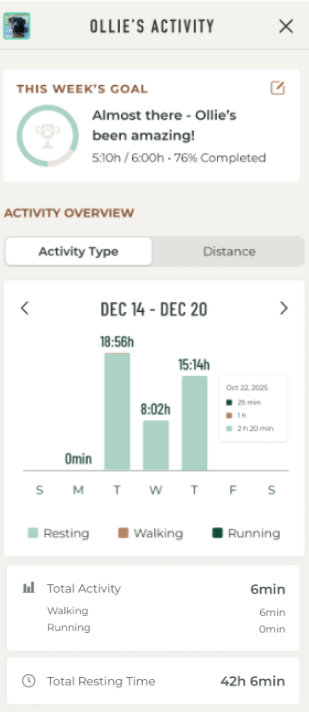
With Activity Tracking, you can see how far your dog travels and how much time they spend resting, walking, and running. Visual charts make it easy to spot trends and understand whether your dog is getting the right balance of exercise and rest.
⚠️ Note: Activity Tracking is only available for users who have Nova Edition collars with an active cellular subscription. Upgrade to a paid plan here.
How to Access the Activity Tracking
- Open the SpotOn app
- Tap on "Profile" on the bottom bar
- Select your dog under "MY DOG & ESCAPE RECORDS"
- Tap on Activity Tracking
How to Use the Activity Tracking
Tap any bar on the Activity Type chart to view your dog’s daily activity details, including time spent resting, walking, and running.
Weekly activity metrics are summarized in the lower half of the screen, helping you quickly understand trends over time.
Use the Distance toggle to switch to the Distance chart and see how far your dog travels each day.
Compare rest and activity levels to better understand your dog’s daily routine and energy levels.
>> Customer Review: See How One German Shorthaired Pointer Owner Uses SpotOn Nova to Track and Manage Daily Activity for her high-energy dog.
What are Activity Goals?
You can now choose how much active time your dog should achieve each week and track progress over time. To access Activity Goal:
- Tap on "Profile" on the bottom bar
- Select "ACTIVITY TRACKING"
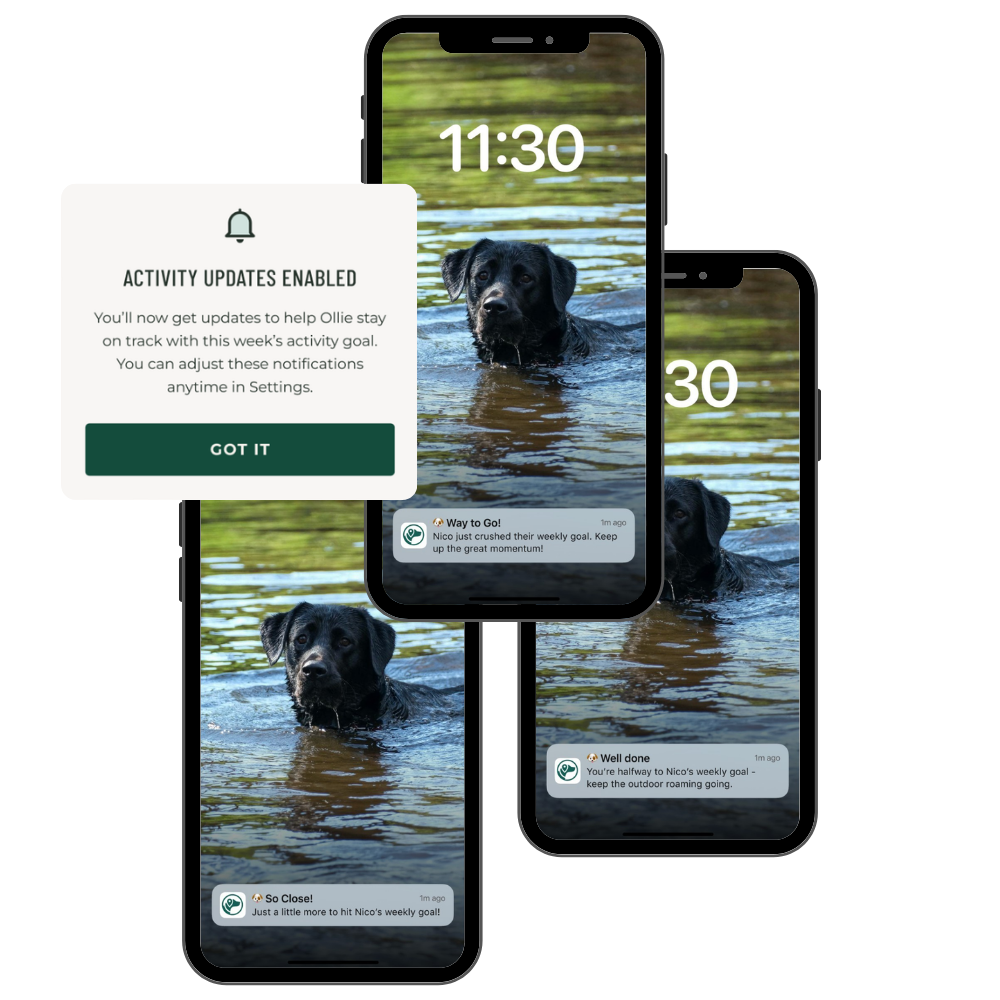
As part of this feature, you'll receive motivational messages (examples below) at key progress points to ensure you're staying on track. You can manage these notifications in Settings.
Was this article helpful?
That’s Great!
Thank you for your feedback
Sorry! We couldn't be helpful
Thank you for your feedback
Feedback sent
We appreciate your effort and will try to fix the article