What are Custom Voice Commands?
Custom Voice Commands let you record your own voice and play it through your dog’s SpotOn collar anytime, right from the app. It’s a great way to reinforce training with familiar commands like “Come,” “Stay,” or even a cheerful “Good dog Luna!”
You can:
- Record up to three custom commands
- Preview each before saving
- Use them for quick, personalized communication with your dog
⚠️ Note: Custom Voice Commands is only available for users with a cellular subscription. We offer several flexible plans you can cancel anytime. Click here to add a plan.
Where can I find Custom Voice Commands?
To access your Custom Voice Commands:
- Open the SpotOn Fence app.
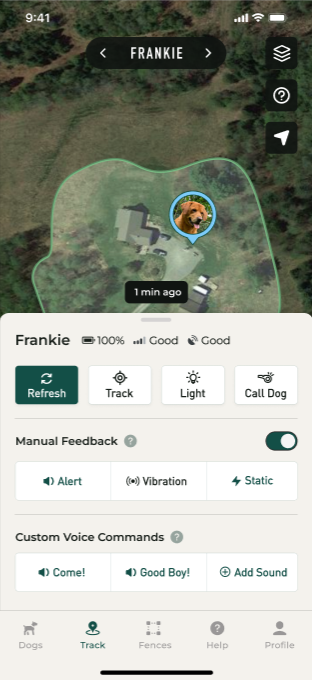
- Tap on Track at the bottom.
- Swipe up on the bottom drawer to access the Custom Voice Commands.
- Tap on any of your saved Custom Voice Commands to play them on your dog’s collar.
How do I make Custom Voice Commands?
To record a new Custom Voice Command:
- Open the SpotOn Fence app.
- Tap on Track at the bottom.
- Swipe up on the bottom drawer to access the Custom Voice Commands.
- Tap Add Sound and follow the in-app instructions to record.
Recordings can be up to 3 seconds long.
How do I make Custom Voice Commands?
To manage your saved Custom Voice Commands:
- Open the SpotOn Fence app.
- Tap on Profile at the bottom.
- Under My Dogs & Escape Records, select your dog.
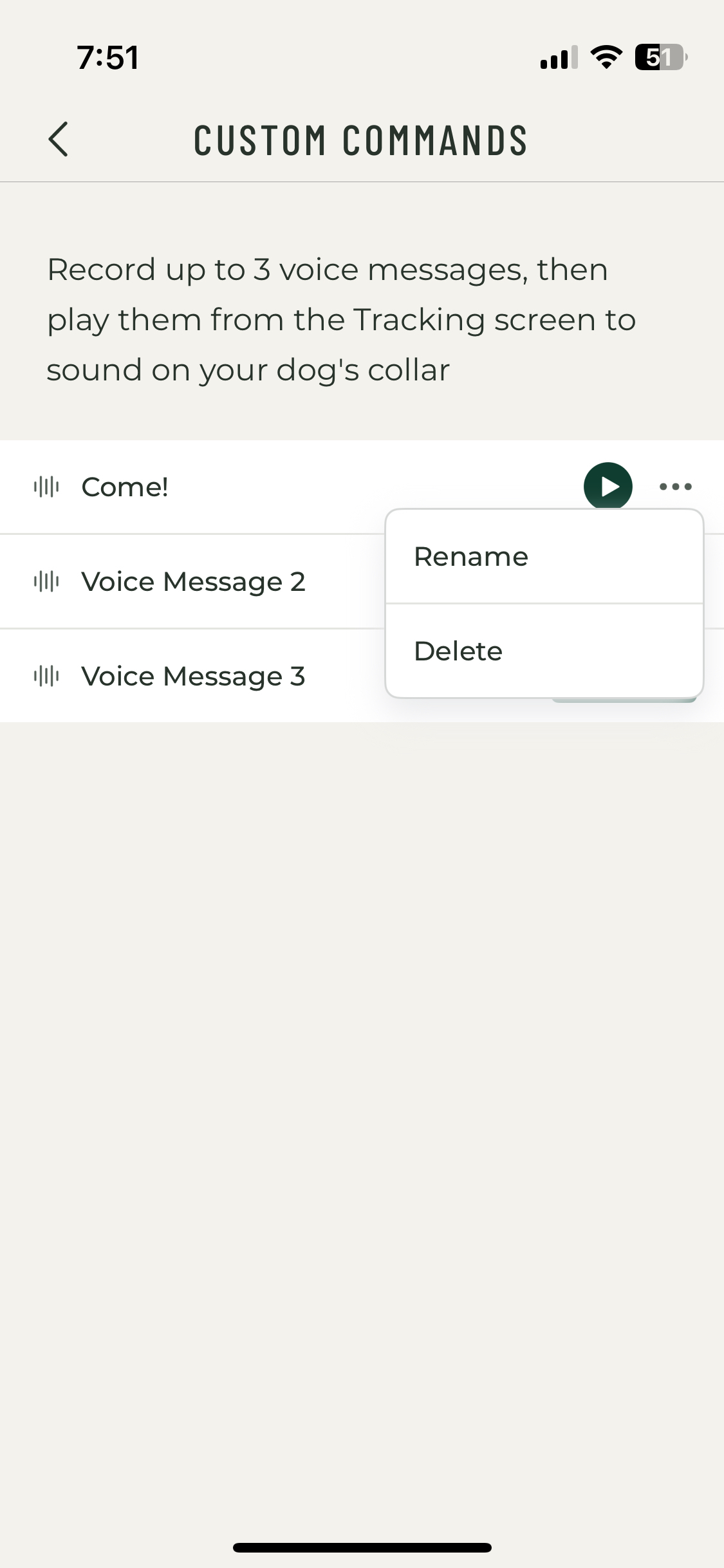
- Tap on Custom Voice Commands.
- Tap the three dots next to the command you want to edit, then select Delete or Rename.
Was this article helpful?
That’s Great!
Thank you for your feedback
Sorry! We couldn't be helpful
Thank you for your feedback
Feedback sent
We appreciate your effort and will try to fix the article